Tools
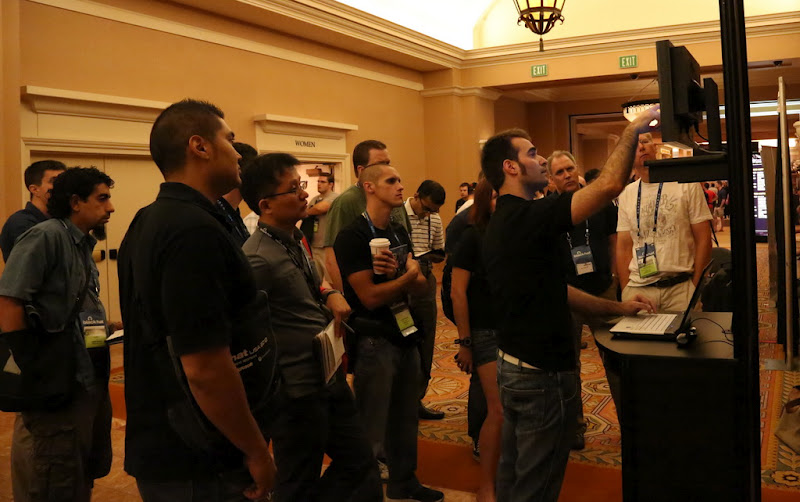
Just before the summer I announced that the student Rohit Dua would dedicate his time to improve peepdf and add a scoring system to the output. This was possible thanks to Google and his Google Summer of Code (GSoC) program, where I presented several projects as a member of The Honeynet Project. A beta version was presented during Black Hat Europe Arsenal 2015 last November, where I introduced the new functionalities.
The scoring system has the goal of giving valuable advice about the maliciousness of the PDF file that’s being analyzed. The first step to accomplish this task is identifying the elements which permit to distinguish if a PDF file is malicious or not, like Javascript code, lonely objects, huge gaps between objects, detected vulnerabilities, etc. The next step is calculating a score out of these elements and test it with a large collection of malicious and not malicious PDF files in order to tweak it.
The scoring is based on different indicators like:
- Number of pages
- Number of stream filters
- Broken/Missing cross reference table
- Obfuscated elements: names, strings, Javascript code.
- Malformed elements: garbage bytes, missing tags…
- Encryption with default password
- Suspicious elements: Javascript, event triggers, actions, known vulns…
- Big streams and strings
- Objects not referenced from the Catalog
Submitted by jesparza on Sun, 2016/02/28 - 21:13
One week before my demo at the Black Hat Arsenal I released a peepdf challenge. The idea was solving the challenge using just peepdf, of course ;) This post will tell you how to solve the challenge so if you want to try by yourself (you should!) STOP READING HERE! The PDF file can be downloaded from here and it is not harmful. No shellcodes, no exploits, no kitten killed. In summary, you can open it with no fear, but do it with a version of Adobe Reader prior to XI ;)
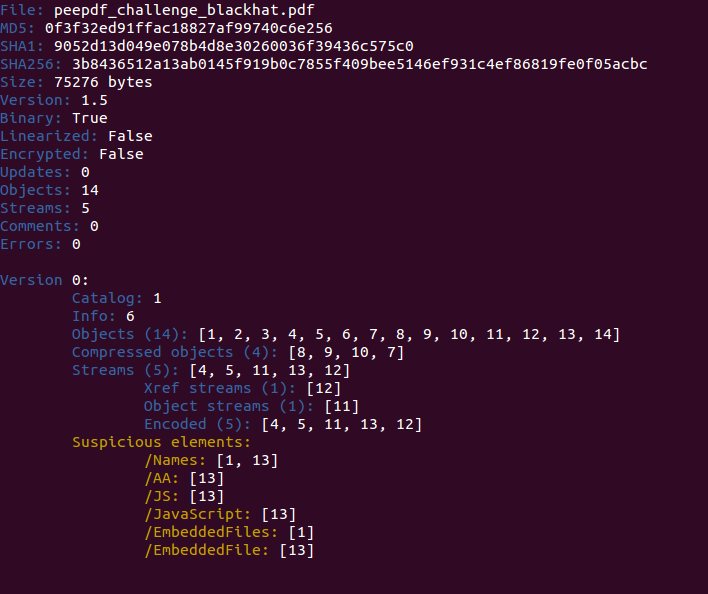
Let's start! :) This is what you see with the last version of peepdf:
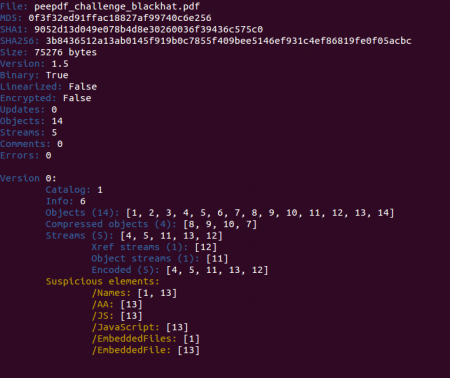
In a quick look you can spot some Javascript code located in object 13 and also an embedded file in the same object. Checking the references to this object and some info about it we see that it is an embedded PDF file:
Submitted by jesparza on Wed, 2015/09/09 - 19:05
Two months ago Google announced that Google Code was slowly dying: no new projects can be created, it will be read only soon and in January 2016 the project will close definitely. peepdf was hosted there so it was time to move to another platform. The code is currently hosted at GitHub, way more active than Google Code:
https://github.com/jesparza/peepdf
If you are using peepdf you must update the tool because it is pointing to Google Code now. After executing “peepdf.py -u” the tool will point to GitHub and it will be able to be up to date with the latest commits. The peepdf Google Code page will also point to GitHub soon.
Another important announcement is that Rohit Dua will be the student who will work with peepdf this summer in the Google Summer of Code (GSoC). I initially presented three ideas to improve peepdf through The Honeynet Project:
Submitted by jesparza on Tue, 2015/05/05 - 21:34
After some time without releasing any new version here is peepdf v0.3. It is not that I was not working in the project, but since the option to update the tool from the command line was released creating new versions became a secondary task. Besides this, since January 2014 Google removed the option to upload new downloads to the Google Code projects, so I had to figure out how to do it. From now on, all new releases will be hosted at eternal-todo.com, in the releases section.
The differences with version 0.2 are noticeable: new commands and features have been added, some libraries have been updated, detection for more vulnerabilities have been added, a lot of bug fixes, etc. This is the list of the most important changes (full changelog here):
Submitted by jesparza on Mon, 2014/06/16 - 19:38
As I already announced in the last blog post, I was in Las Vegas giving a workshop about how to analyze exploit kits and PDF documents at BlackHat. The part related to exploit kits included some tips to analyze obfuscated Javascript code manually and obtain the exploit URLs or/and shellcodes. The tools needed to accomplish this task were just a text editor, a Javascript engine like Spidermonkey, Rhino or PyV8, and some tool to beautify the code (like peepdf ;p). In a generic way, we can say that the steps to analyze an exploit kit page are the following:
- Removing unnecessary HTML tags
- Convert HTML elements which are called in the Javascript code to Javascript variables
- Find and replace eval functions with prints, for example, or hook the eval function if it is possible (PyV8)
- Execute the Javascript code
- Beautify the code
- Find shellcodes and exploit URLs
- Repeat if necessary
Submitted by jesparza on Sun, 2013/08/18 - 22:14
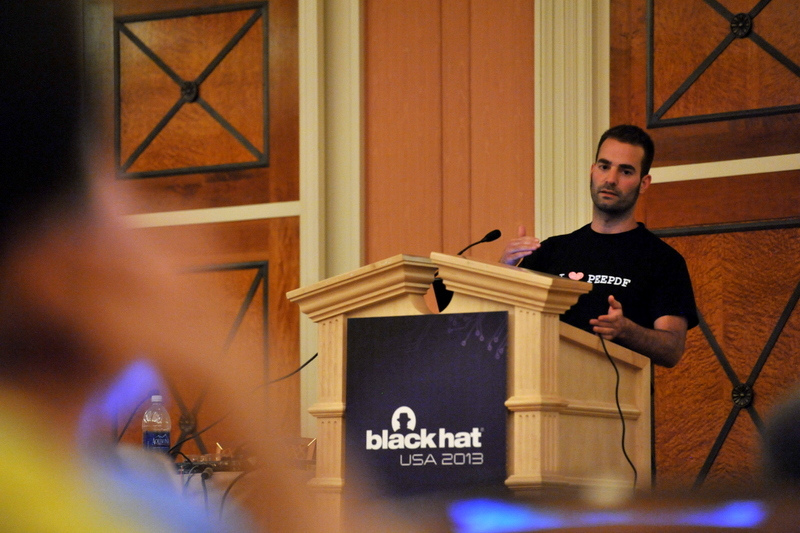
BlackHat USA 2013 is here and tomorrow I will be explaining how to analyze exploit kits and PDF documents in my workshop “PDF Attack: From the Exploit Kit to the Shellcode” from 14:15 to 16:30 in the Florentine room. It will be really practical so bring your laptop and expect a practical session ;) All you need is a Linux distribution with pylibemu and PyV8 installed to join the party. You can run all on Windows too if you prefer.
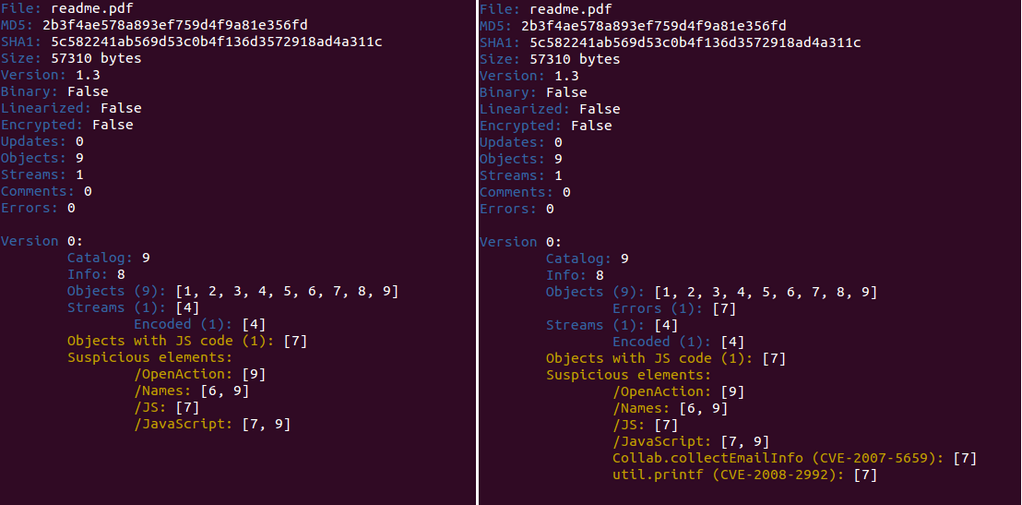
Now Spidermonkey is not needed because I decided to change the Javascript engine to PyV8, it really works better. Take a look at the automatic analysis of the Javascript code using Spidermonkey (left) and PyV8 (right).
Submitted by jesparza on Wed, 2013/07/31 - 12:40
Language: C
Publication date: 2012-12-21
Description: Program based on readnfccc (by Renaud Lifchitz) to read some private data from credit cards, like cardholder, Permanent Account Number (PAN), expiry date, etc., using NFC technology. It has been tested with Spanish contactless credit cards, but can also be used with other countries cards. Take a look at this post (Spanish) and this video.
Requirements: libnfc (and an NFC reader, of course!)
Download it!
Usage
After installing libnfc, just compile the code:
$ gcc nfc_creditcard_reader.c -lnfc -o nfc_creditcard_reader
Place an NFC credit card close to the reader and execute it:
So the main new features, besides the fixed bugs, are the following:
-
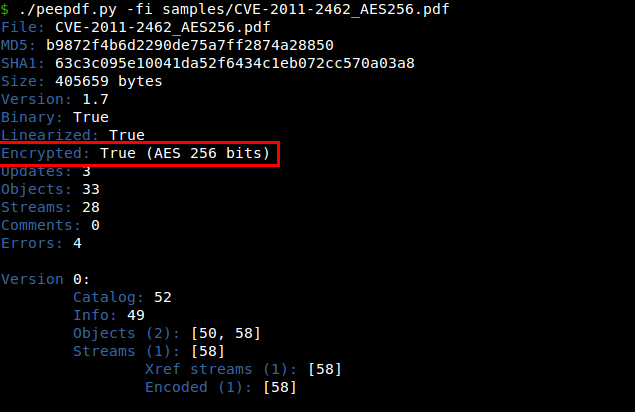
Added support for AES in the decryption process: Until now peepdf supported RC4 as a decryption algorithm but AES was a must. Now here it is, so no more worries for decrypted documents. I will be ready for new changes in the decryption process, someone in Vegas told me that the next AES modification for PDF files is coming...
Submitted by jesparza on Sun, 2012/08/05 - 17:06
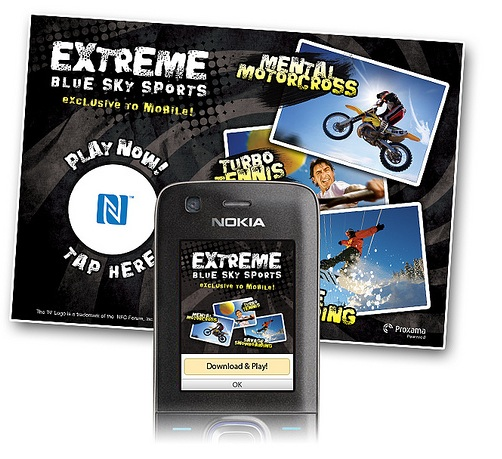
Here I'm going to focus on the URI records and their possibilities to perform actions in NFC capable mobile phones when reading this type of tags. The URI specification says that these are the supported schemes:
|
URI Identifier Codes
|
Schemes
|
Submitted by jesparza on Sat, 2012/06/30 - 20:42
NFC is based on the ISO/IEC 18092 standard, published at the end of 2003, and it's compatible with other standards like ISO/IEC 14443 A/B (RFID) and ISO/IEC 15693 (FeliCa - Sony). As probably you know, it's a short distance wireless technology (normally < 10cm), high frequency (13'56 MHz) and low speed (normally until 424 Kbps). Unlike RFID, NFC is capable to perform bidirectional communications, and the time to establish the communication is much lower than using Bluetooth.
The aim of this blog post is not explaining how NFC works but giving some advice to setup a lab and start playing with this technology. The first thing we need is a NFC reader/writer. After looking around the most used are the following:
Submitted by jesparza on Mon, 2012/06/04 - 00:21
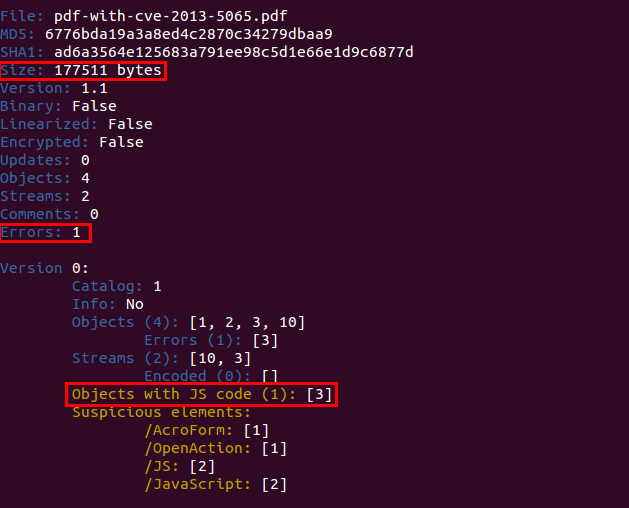
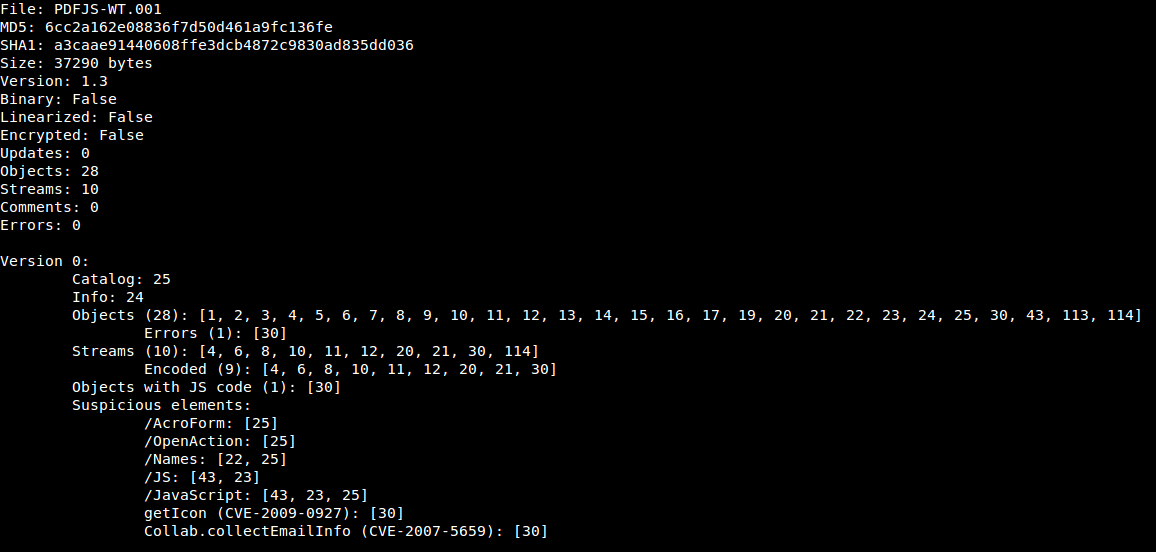
We can identify two known vulnerabilities and it seems that object 30 contains Javascript code. If we take a look at the filters used in this stream we see that peepdf has been able to decode the /CCITTFaxDecode filter without problems:
Submitted by jesparza on Mon, 2012/04/23 - 00:55
Last week I presented the last version of peepdf in the Black Hat Europe Arsenal. It was a really good experience that I hope I can continue doing in the future ;) Since the very first version, almost one year ago, I had not released any new version but I have been frequently updating the project SVN. Now you can download the new version with some interesting additions (and bugfixes), and take a look at the overview of the tool in the slides. I think it's important to mention that the version included in the Black Hat CD and the one in the Black Hat Arsenal webpage IS NOT the last version, this IS the last version. I've asked the Black Hat stuff to change the version on the site so I hope this can be fixed soon.
Submitted by jesparza on Sat, 2012/03/24 - 14:35
Maybe it was not evident enough or not well documented, but until the moment there was a way of extracting streams, Javascript code, shellcodes and any type of information shown in the console output. What it's true is that it was not very straightforward. To extract something it was needed to set the especial variable "output" to a file or variable in order to store the console output in that new destination. For this to be accomplished we used the set command and after this the reset command to restore the original value of "output".
PPDF> set output file myFile
PPDF> rawstream 2

78 da dd 53 cb 6e c2 30 10 bc f7 2b 22 df c9 36   |x..S.n.0...+"..6|
39 54 15 72 c2 ad 3f 40 39 57 c6 5e 07 43 fc 50   |9T.r..?@9W.^.C.P|
6c 1e fd fb 6e 4a 02 04 54 a9 67 2c 59 9e 9d f5   |l...nJ..T.g,Y...|
8e 77 56 32 5f 9c 6c 9b 1d b0 8b c6 bb 8a 15 f9   |.wV2_.l.........|
2b cb d0 49 af 8c 6b 2a b6 fa fc 98 bd b3 45 fd   |+..I..k*......E.|
92 d1 e2 27 15 e6 b4 33 aa 70 b1 47 15 db a4 14   |...'...3.p.G....|
e6 00 2e e6 42 f9 35 e6 d2 5b a0 04 b0 73 09 15   |....B.5..[...s..|
a1 aa 77 22 08 0e 04 46 4e 7a a7 4d 43 3a 92 84   |..w"...FNz.MC:..|
2e 22 c7 e3 31 b7 46 76 3e 7a 9d 72 df 35 10 e5   |."..1.Fv>z.r.5..|
06 ad 80 93 34 50 e6 6f 57 51 92 08 1d 46 74 e9   |....4P.oWQ...Ft.|
ca f4 9c d2 b7 31 31 83 af ba e0 30 c2 e9 05 bd   |.....11....0....|
55 bb 36 8a ad f6 2a fc 1e 61 ab e8 5a ad 39 fc   |U.6...*..a..Z.9.|
95 9a 0a 18 97 b0 13 32 99 03 f6 af dc 86 b7 ad   |.......2........|
Submitted by jesparza on Tue, 2012/01/24 - 21:49

|